Scheduling Software vs Workforce Orchestration Platforms: Here’s What Your Labor Budget Needs
You picked a scheduling tool. You filled in the shifts. You published the schedule. And yet overtime is still running hot, no-shows still blindside your team, and payroll still doesn’t reconcile cleanly with what actually happened on the floor.
The tool isn’t broken. It’s just not built for what your operation actually needs. The trajectory of the industry signals a decisive shift toward proactive, data-informed, and fully integrated workforce orchestration. Businesses clinging to fragmented applications or inflexible legacy systems are increasingly finding themselves at a disadvantage. Basic scheduling software fills shifts. Workforce orchestration platforms run operations.
Here’s what this article covers:
What scheduling software actually does and where it runs out of road
What workforce orchestration platforms do differently
The feature gap that separates the two categories
Which operations actually need an orchestration platform
How to evaluate the right tool for your labor budget and scale
This is where Nowsta fits naturally into the conversation. It’s purpose-built as a workforce orchestration platform for shift-based, hourly operations, not a repurposed scheduling tool with a few extra features bolted on.
What Scheduling Software Actually Does and Where It Runs Out of Road
Basic scheduling software does one thing well: it helps you create schedules. You assign workers to shifts, publish the schedule, and distribute it to your team. For small operations running a handful of events with a stable roster, that’s often enough.
But the moment your operation grows, that’s where the cracks show.
What Scheduling Software Is Built For
At its core, traditional job scheduling for workforces is designed around routine tasks:
Drag and drop scheduling to assign shifts manually
Publishing schedules to staff via email or app notification
Tracking time off requests and shift availability
Basic shift swaps between workers
Simple job scheduling by role and location
These are automated tasks compared to spreadsheets. But they’re still reactive in nature. The software generates schedules based on the inputs you provide. It doesn’t think ahead. It doesn’t connect to payroll. It doesn’t flag compliance risks or overtime thresholds. And when something changes mid-event, it gives you no live visibility to act on.
Where It Hits the Wall
Traditional job schedulers in the workforce space face the same limitations that their IT counterparts do: they execute predefined workflows on set schedules. But real events and staffing operations don’t run on predefined conditions. They run on uncertainty.
Here’s where basic scheduling software consistently runs out of road:
No demand forecasting. It can’t use historical data to predict how many workers you’ll need for an event two weeks from now
No real-time visibility. You find out about coverage gaps after the shift starts, not before
No compliance layer. Labor laws, overtime rules, and break requirements aren’t built into the scheduling logic
No payroll connection. Actual hours worked live in a separate system, creating manual work to reconcile
No talent intelligence. Every worker looks the same regardless of their attendance history, reliability score, or skill set
No vendor management. If you’re working with multiple staffing agencies, they each exist in their own silo
The result? A tool that helps you build schedules but leaves everything else to text messages, spreadsheets, and reactive firefighting. For modern businesses managing dynamic, high-volume shift environments, that’s not a workforce management tool. It’s a starting point.
What Workforce Orchestration Platforms Do Differently
The term workflow orchestration originally described how IT teams coordinate complex workflows across diverse systems, hybrid environments, and multiple environments simultaneously. The same concept applies directly to workforce operations.
A workforce orchestration platform doesn’t just create schedules. It connects every part of the workforce lifecycle, sourcing, scheduling, time tracking, compliance, payroll, and talent management, and coordinates them as a single, integrated system.
The Orchestration Difference, in Plain Terms
Think of it this way. Basic scheduling software is a single instrument. A workforce orchestration platform is the conductor that makes all the instruments play together, at the right time, in the right order.
While schedulers run jobs at predetermined times, orchestration platforms respond to real-time events and conditions, making intelligent decisions about workflow execution. In workforce terms: when a worker doesn’t clock in on time, an orchestration platform detects it, alerts the manager, and surfaces available replacements, all automatically. A basic scheduler just shows an empty shift.
What Orchestration Enables That Scheduling Alone Can’t
Dynamic allocation of labor in response to real-time staffing demand changes
AI-powered scheduling that uses historical data and labor forecasting to generate optimal shift structures
Automated compliance monitoring built directly into the scheduling workflow
Integrated time tracking that feeds actual hours directly into payroll with no manual export
Talent intelligence that ranks workers by reliability, skills, and performance metrics for smarter booking decisions
Vendor orchestration that manages agency partners, contingent staff, and internal teams from one centralized system
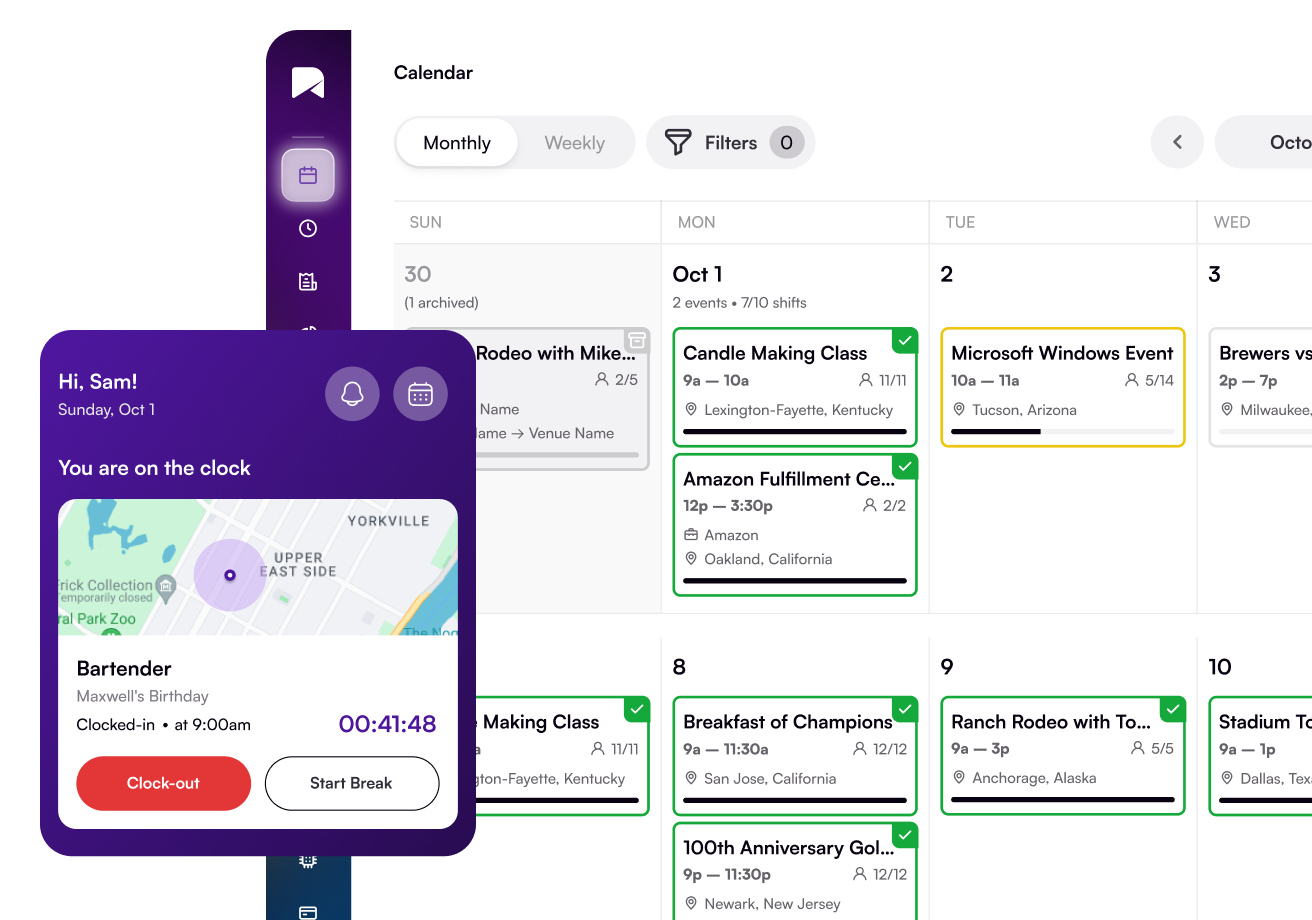
Mobile accessibility that gives workers full self-service: view shifts, confirm, clock in, swap shifts, and access pay, all from a single app
WFM systems are evolving toward being central platforms for total workforce coordination, where scheduling, task management, and communication tools all integrate into shift planning. Many organizations manage a mix of hourly and salaried staff, on-site and remote workers, all under one unified framework.
That’s the orchestration difference. It’s not about doing more things. It’s about connecting the things that matter so they work as one.
The Feature Gap That Separates the Two Categories
Here’s a direct, side-by-side look at the key differences between basic scheduling software and a full workforce orchestration platform. This is where the decision usually gets made.
Feature
Scheduling Software
Workforce Orchestration Platform
Build and publish shifts
✓
✓
Drag and drop scheduling
✓
✓
Mobile accessibility
Basic
Full self-service app
AI-powered scheduling
Rarely
Core feature
Labor forecasting
No
Yes, demand-driven
Historical data analysis
No
Yes, built-in
Real-time clock-in tracking
No
GPS-enabled, live
Overtime alerts
No
Automated, pre-shift
Compliance monitoring
No
Labor law rules built-in
Payroll integration
No
Direct, automated
Talent intelligence
No
Worker reliability scoring
Vendor/agency management
No
Full vendor orchestration
Advanced analytics
No
Performance metrics dashboard
Shift swap workflows
Basic
Automated with approval logic
Coverage gap detection
No
Real-time alerts
Custom workflows
No
Conditional logic supported
The Features That Change Operations the Most
AI-powered scheduling and labor forecasting eliminate the guesswork from staffing needs planning. Instead of estimating coverage by feel, you’re working from data. That means fewer overstaffed shifts and fewer coverage gaps during high-demand periods.
Comprehensive time tracking connected directly to payroll means the gap between actual hours and scheduled hours closes automatically. No manual work, no data entry errors, no payroll disputes.
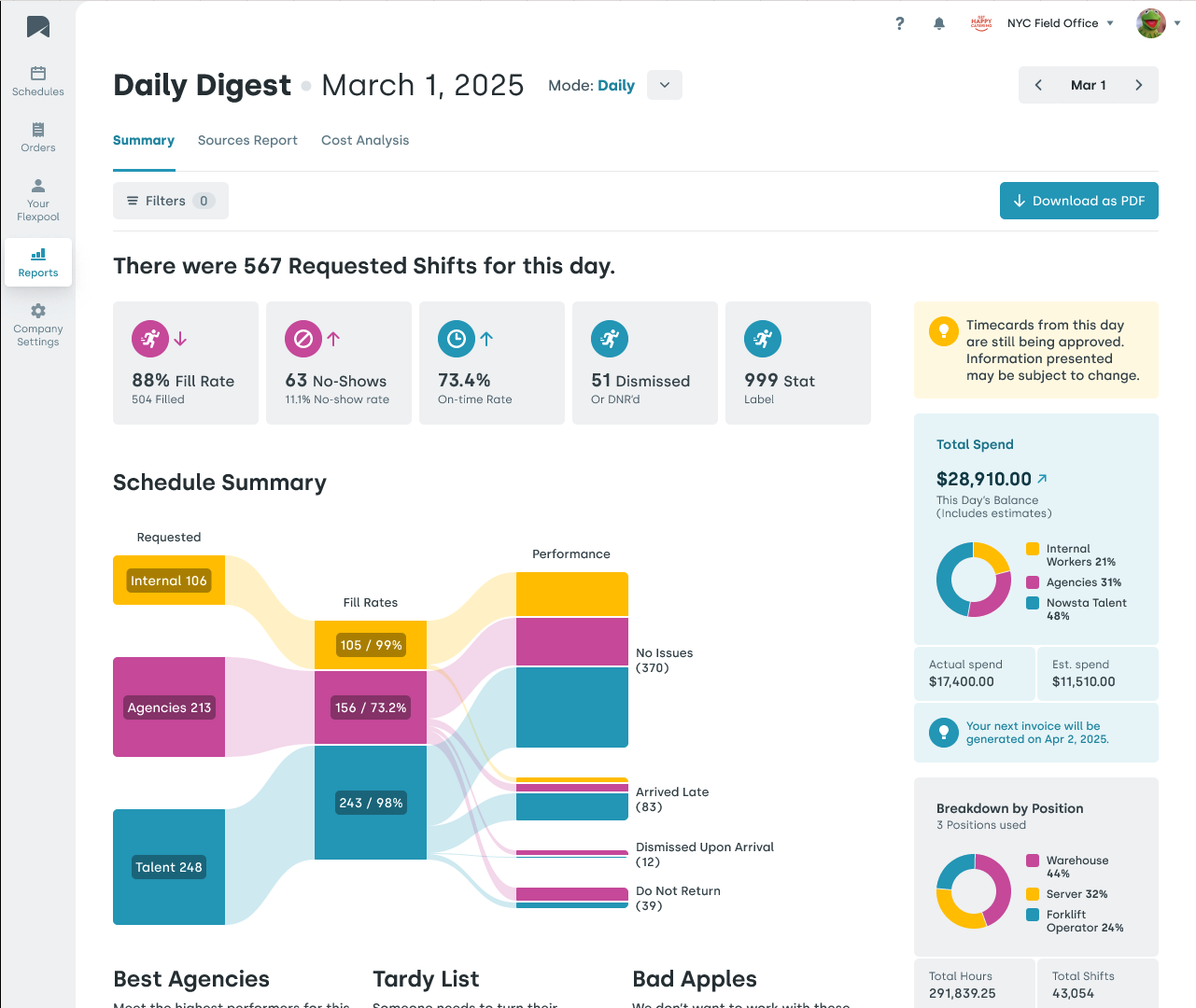
Advanced analytics and performance metrics give leaders actionable insights on labor spend, worker reliability, and event-level profitability. That’s the foundation for data-driven decisions, not gut feel.
Custom workflows with conditional logic mean that processes like onboarding, shift confirmation, overtime approval, and SLA tracking don’t rely on a manager remembering to follow up. They happen automatically, in the right sequence, every time.
Which Operations Actually Need an Orchestration Platform
Not every operation needs the full weight of an orchestration platform. But there are clear signals that basic scheduling software has become a bottleneck.
You’ve Outgrown Scheduling Software When:
You manage more than 50 workers across multiple events or locations simultaneously
Your staffing demand fluctuates significantly between peak periods and slower weeks
You rely on multiple staffing agencies or a mix of internal and contingent staff
Overtime is a recurring cost you can’t get ahead of
Payroll reconciliation requires manual effort every cycle
No-shows blindside your operation because there’s no confirmation or real-time attendance system
Compliance with labor laws across multiple jurisdictions is an active risk for your business
Your managers spend significant hours each week on routine tasks that should be automated
Compliance-sensitive, coverage gaps directly impact service quality
For each of these environments, a basic scheduling software handles maybe 20% of the actual workflow. The other 80%, confirming shifts, tracking attendance, managing vendors, forecasting demand, processing payroll, and monitoring compliance, either fall on manual processes or get missed entirely.
How to Evaluate the Right Tool for Your Labor Budget and Scale
Choosing between scheduling software and a workforce orchestration platform comes down to understanding where your operation currently loses money, time, and control.
The Evaluation Framework
Start by asking these “what if” questions about your current tool:
What if three workers don’t show up to your next event? Does your system alert you before the shift starts?
What if you need to see your labor spend for a specific event right now? Can you pull that in real time?
What if your payroll system needs to reconcile with this week’s actual hours? How many manual steps does that take?
What if you need to book 40 workers for an event next weekend? Does your tool surface the most reliable, available candidates automatically?
If the answer to most of those is “we’d handle it manually,” you’re already paying the hidden cost of insufficient infrastructure.
Key Evaluation Criteria
When assessing any workforce management tool, weigh these dimensions:
Integration capability: Does it integrate seamlessly with your existing payroll, HR, and accounting systems? A platform that creates new silos is just another problem. Look for native integrations, not just export files.
AI and automation depth: Does artificial intelligence power the scheduling recommendations, or is it just a marketing claim? Real AI-powered scheduling surfaces actionable insights, predicts staffing needs, and flags risks automatically, not after the fact.
Mobile experience: For hourly, shift-based workforces, mobile accessibility isn’t a nice-to-have. It’s the primary interface. Workers need to confirm shifts, clock in, swap shifts, submit time off requests, and access pay information from their phones.
Compliance architecture: Are labor laws, overtime thresholds, and break requirements built into the scheduling engine? Or does compliance rely on a manager knowing the rules and applying them manually? One approach protects you. The other exposes you.
Scalability: Can the platform handle dynamic scaling as your event volume grows? Enterprise-scale operations need tools that grow with them, not tools that require replacement every few years.
Learning curve and support: A powerful platform that nobody uses effectively delivers no value. Evaluate the learning curve, implementation support, and ongoing customer success infrastructure before committing.
Nowsta’s workforce management platform hits all six criteria. It integrates directly with payroll and accounting systems, uses AI-powered demand forecasting, delivers a full mobile experience for workers, has compliance rules built into scheduling logic, scales to enterprise operations, and comes with dedicated implementation and success support.
It’s built to eliminate the gap between what basic scheduling software handles and what running a real shift-based operation actually demands.
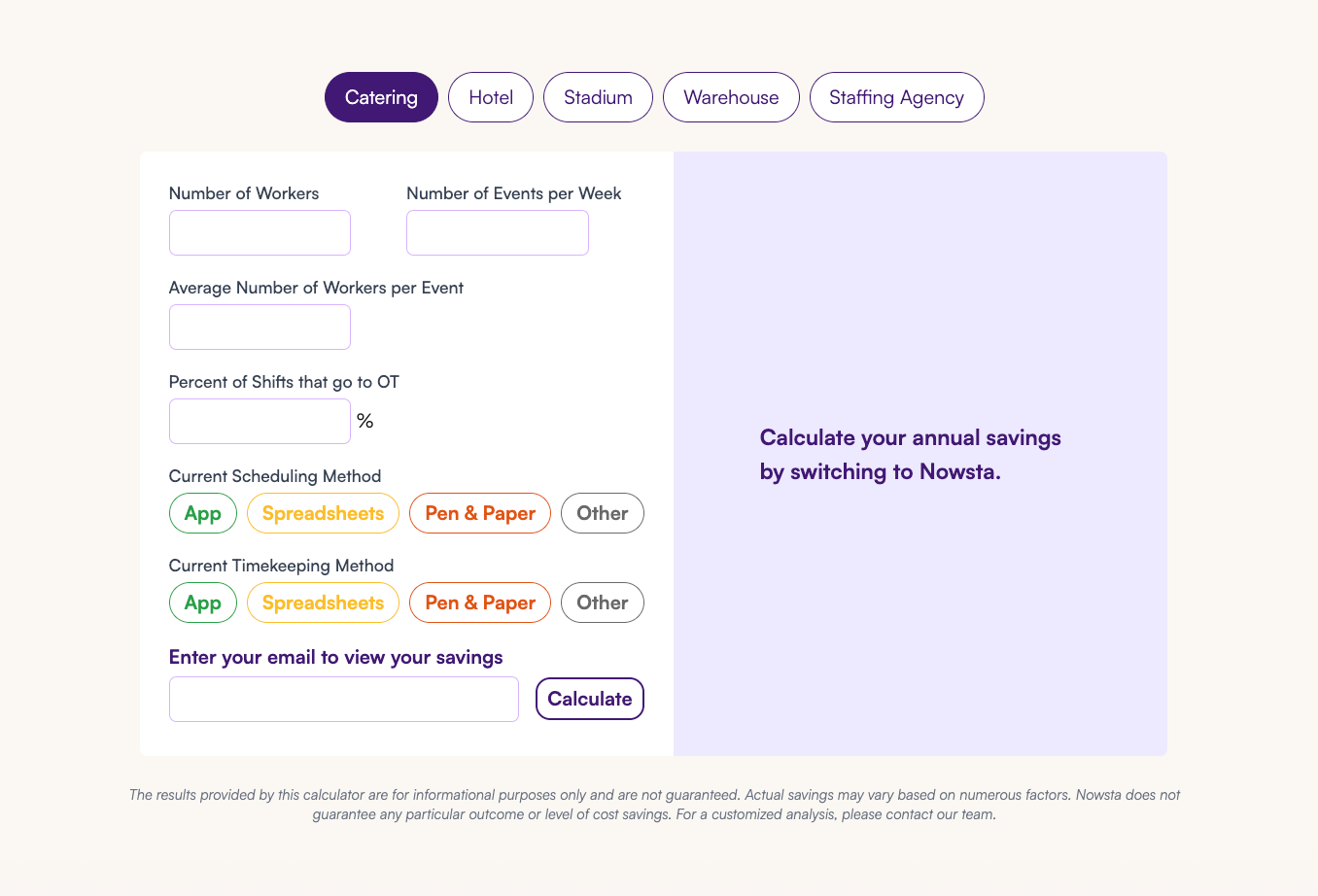
Pro tip:Use Nowsta’s cost savings calculator to model what the difference between basic scheduling and full orchestration is actually worth in real dollars for your operation. The gap is almost always larger than expected.
Why the Workforce Management Category Is Shifting Fast in 2026
The market is moving. Fast. And the direction is unambiguous.
The global workforce scheduling software market grew to $1.6 billion in 2024, marking a 12.2% year-over-year increase. The market is projected to reach $2.3 billion by 2029. That growth isn’t coming from better calendar tools. It’s coming from the shift toward AI-powered orchestration platforms that connect scheduling to the entire workforce lifecycle.
The Drivers Behind the Shift
Artificial intelligence is becoming standard, not premium: The AI-powered scheduling capabilities that felt like advanced features two years ago are now table stakes. Operations that haven’t adopted them are operating at a structural disadvantage on operational costs and scheduling accuracy.
Digital transformation is reaching the frontline: Digital transformation for hourly, shift-based workforces is arriving later than it did for knowledge workers, but it’s arriving fast. Workers expect the same employee experience from their employer’s tools that they get from consumer apps: mobile accessibility, real-time updates, self-service features, and seamless communication tools. Basic scheduling software rarely delivers this. Workforce orchestration platforms are built around it.
Compliance complexity is increasing: Labor laws are getting more complex, not less. Predictive scheduling laws, overtime thresholds, pay transparency requirements, and multi-jurisdiction compliance are all expanding. In 2026, businesses must navigate an increasingly complex web of labor regulations, including new mandates on paid leave, wage transparency, and minimum wage adjustments across different jurisdictions. Operations that rely on manual compliance processes are one audit away from a significant financial exposure.
The integration imperative: The most competitive operators are harnessing AI forecasting, automated compliance enforcement, and holistic platforms to gain the agility to reduce expenses, elevate performance, and respond nimbly to demand shifts or regulatory updates.
The category is converging around platforms that integrate seamlessly across scheduling, time and attendance, payroll, talent management, and vendor orchestration. Single-function tools are being absorbed or replaced. The future trends point clearly toward unified platforms that eliminate the gaps between diverse systems and give operations leaders a single, real-time view of their entire workforce.
The Competitive Edge Is Already Shifting
Operations running on workforce orchestration platforms like Nowsta already have structural advantages over those running on basic scheduling tools:
They forecast demand accurately and staff to it
They catch overtime and compliance issues before they cost money
They process payroll in a fraction of the time with fewer errors
They retain better workers because the employee experience is meaningfully better
They make data-driven decisions on vendor performance, labor spend, and scheduling quality
Continuous improvement in workforce operations requires a foundation of clean data, automated processes, and integrated systems. That foundation doesn’t exist in basic scheduling software. It’s built into orchestration platforms by design.
The business value of making the switch isn’t theoretical. For Nowsta customers like Continental Services, the result was 500+ hours saved per year. For Simply Fresh Events, it was 6 hours saved per week. For One World Catering, it was over 300 hours annually, recovered from manual scheduling and payroll processes alone.
That’s the business agility that comes from moving beyond traditional job schedulers and into a platform built for how modern event and staffing operations actually run.
Your Workforce Deserves More Than a Scheduler. Meet Nowsta.
The gap between basic scheduling software and a workforce orchestration platform isn’t just about features. It’s about whether your tools are keeping up with the complexity of your operation or quietly holding it back. The right platform pays for itself fast.
Key takeaways:
Basic scheduling software fills shifts. Workforce orchestration platforms connect scheduling, payroll, compliance, talent, and vendors into one system
AI-powered demand forecasting eliminates guesswork and reduces overstaffing and coverage gaps simultaneously
The feature gap between the two categories is significant: real-time tracking, compliance automation, and payroll integration are orchestration-only capabilities
Operations managing 50+ workers, multiple agencies, or multi-venue events have clearly outgrown basic scheduling tools
The workforce management market is growing at 12%+ year-over-year, driven by AI adoption and digital transformation at the frontline
Continuous improvement requires clean data and integrated systems. Basic scheduling software can’t provide either
Nowsta is the orchestration platform built specifically for shift-based, hourly, and contingent workforce environments. From AI-powered scheduling and real-time attendance tracking to vendor management and automated payroll integration, it replaces the fragmented stack with one connected system. Stop scheduling. Start orchestrating.Book your demo and see the difference firsthand.
FAQs
What is workload automation, and how does it apply to workforce management?
Workload automation is the process of automating repetitive tasks and business processes without manual intervention. In workforce management, this means automating shift confirmations, attendance alerts, overtime flags, and payroll exports rather than relying on managers to handle each step manually. Workflow automation at this level directly reduces human error and frees up time for higher-value work.
How do orchestration tools differ from traditional scheduling software?
Orchestration tools coordinate complex workflows across various systems, responding to real-time events rather than just executing tasks on a preset schedule. Traditional scheduling software runs time-based assignments. Orchestration tools handle conditional logic, automated responses, and system-wide coordination, making them far more capable for operational success in dynamic, shift-based environments.
What role does data processing play in workforce orchestration platforms?
Data processing is the engine behind everything. Workforce orchestration platforms continuously process attendance data, labor cost data, demand signals, and compliance triggers to generate actionable insights in real time. This is how the platform catches an overtime risk before it triggers, or surfaces the best-fit worker for an open shift, powered by data pipelines running behind the scenes.
Can workforce orchestration platforms work across hybrid and multi-cloud environments?
Modern platforms are built to integrate seamlessly with tools already in your tech stack, whether those tools live in cloud environments, on-premise systems, or hybrid IT environments. Cloud services like payroll platforms, HRIS systems, and accounting software connect through native integrations, eliminating the silos that force manual reconciliation across diverse environments.
How do digital forms and communication tools fit into workforce orchestration?
Digital forms replace paper-based onboarding, compliance acknowledgments, and incident reports with automated, mobile-accessible workflows. Combined with built-in communication tools, workers receive shift reminders, role briefings, and policy updates in one place. This improves customer satisfaction downstream by ensuring every worker arrives informed and prepared, reducing errors that come from fragmented IT operations.
What is comprehensive workload automation in the context of event staffing?
Comprehensive workload automation means every step of the staffing lifecycle, from sourcing and scheduling through time tracking, compliance monitoring, and payroll, runs with minimal manual intervention. Workload automation solutions at this level don’t just handle individual tasks. They coordinate business processes end to end, enhancing efficiency across the entire operation and reducing the overhead that typically scales linearly with event volume.
Stay in the know
Subscribe to our blog and get news, insights and trends from staffing and operations experts.
We use tools on this site to collect and record your data (e.g., your searches), which we and our vendors may use to provide, improve, and personalize our offerings, make recommendations, and for analytics and marketing. By continuing, you agree to these terms.
Cookie Preferences
Manage your cookie preferences below:
Essential cookies enable basic functions and are necessary for the proper function of the website.
Name
Description
Duration
Cookie Preferences
This cookie is used to store the user's cookie consent preferences.
30 days
These cookies are needed for adding comments on this website.
Name
Description
Duration
comment_author
Used to track the user across multiple sessions.
Session
comment_author_email
Used to track the user across multiple sessions.
Session
comment_author_url
Used to track the user across multiple sessions.
Session
Google Tag Manager simplifies the management of marketing tags on your website without code changes.
Name
Description
Duration
cookiePreferences
Registers cookie preferences of a user
2 years
td
Registers statistical data on users' behaviour on the website. Used for internal analytics by Nowsta.
session
Statistics cookies collect information anonymously. This information helps us understand how visitors use our website.
Google Analytics is a powerful tool that tracks and analyzes website traffic for informed marketing decisions.
Used to monitor number of Google Analytics server requests when using Google Tag Manager
1 minute
__utmz
Contains information about the traffic source or campaign that directed user to the website. The cookie is set when the GA.js javascript is loaded and updated when data is sent to the Google Anaytics server
6 months after last activity
__utmv
Contains custom information set by the web developer via the _setCustomVar method in Google Analytics. This cookie is updated every time new data is sent to the Google Analytics server.
2 years after last activity
__utmx
Used to determine whether a user is included in an A / B or Multivariate test.
18 months
_ga
ID used to identify users
2 years
_gali
Used by Google Analytics to determine which links on a page are being clicked
30 seconds
_ga_
ID used to identify users
2 years
_gid
ID used to identify users for 24 hours after last activity
24 hours
_gac_
Contains information related to marketing campaigns of the user. These are shared with Google AdWords / Google Ads when the Google Ads and Google Analytics accounts are linked together.
90 days
__utma
ID used to identify users and sessions
2 years after last activity
__utmt
Used to monitor number of Google Analytics server requests
10 minutes
__utmb
Used to distinguish new sessions and visits. This cookie is set when the GA.js javascript library is loaded and there is no existing __utmb cookie. The cookie is updated every time data is sent to the Google Analytics server.
30 minutes after last activity
__utmc
Used only with old Urchin versions of Google Analytics and not with GA.js. Was used to distinguish between new sessions and visits at the end of a session.
End of session (browser)
Hotjar is a powerful analytics tool that helps you understand user behavior through heatmaps and session recordings.
Name
Description
Duration
_hjShownFeedbackMessage
This cookie is set when a visitor minimizes or completes Incoming Feedback. This is done so that the Incoming Feedback will load as minimized immediately if they navigate to another page where it is set to show.
365 days
_hjid
Hotjar cookie. This cookie is set when the customer first lands on a page with the Hotjar script. It is used to persist the random user ID, unique to that site on the browser. This ensures that behavior in subsequent visits to the same site will be attributed to the same user ID.
365 days
hj_visitor
hotjar uses cookies to enhance the user’s experience on our website, for example to complete forms, navigating the site, and identify returning users and offer related content. Users can control the use of cookies at the individual browser level.
Session
_hjIncludedInSample
Hotjar cookie. This session cookie is set to let Hotjar know whether that visitor is included in the sample which is used to generate funnels.
365 days
_hjClosedSurveyInvites
Hotjar cookie. This cookie is set once a visitor interacts with a Survey invitation modal popup. It is used to ensure that the same invite does not re-appear if it has already been shown.
365 days
_hjDonePolls
Hotjar cookie. This cookie is set once a visitor completes a poll using the Feedback Poll widget. It is used to ensure that the same poll does not re-appear if it has already been filled in.
365 days
_hjMinimizedPolls
Hotjar cookie. This cookie is set once a visitor minimizes a Feedback Poll widget. It is used to ensure that the widget stays minimizes when the visitor navigates through your site.
365 days
_hjDoneTestersWidgets
Hotjar cookie. This cookie is set once a visitor submits their information in the Recruit User Testers widget. It is used to ensure that the same form does not re-appear if it has already been filled in.
365 days
_hjMinimizedTestersWidgets
Hotjar cookie. This cookie is set once a visitor minimizes a Recruit User Testers widget. It is used to ensure that the widget stays minimizes when the visitor navigates through your site.
365 days
hjViewportId
This cookie stores user viewport details such as size and dimensions.
Session
_hjSessionStorageTest
This cookie checks if the Hotjar Tracking Code can use Session Storage. If it can, a value of 1 is set.
Session
_hjTLDTest
When the Hotjar script executes we try to determine the most generic cookie path we should use, instead of the page hostname. This is done so that cookies can be shared across subdomains (where applicable). To determine this, we try to store the _hjTLDTest cookie for different URL substring alternatives until it fails. After this check, the cookie is removed.
session
_hjCookieTest
This cookie checks to see if the Hotjar Tracking Code can use cookies. If it can, a value of 1 is set.
Session
_hjUserAttributesHash
User Attributes sent through the Hotjar Identify API are cached for the duration of the session in order to know when an attribute has changed and needs to be updated.
session
_hjCachedUserAttributes
This cookie stores User Attributes which are sent through the Hotjar Identify API, whenever the user is not in the sample. These attributes will only be saved if the user interacts with a Hotjar Feedback tool.
session
_hjLocalStorageTest
This cookie is used to check if the Hotjar Tracking Script can use local storage. If it can, a value of 1 is set in this cookie. The data stored in_hjLocalStorageTest has no expiration time, but it is deleted immediately after creating it so the expected storage time is under 100ms.
-
_hjHasCachedUserAttributes
This cookie sets when a user first lands on a page. Persists the Hotjar User ID which is unique to that site. Hotjar does not track users across different sites. Ensures data from subsequent visits to the same site are attributed to the same user ID.
365 days
_hjFirstSeen
The cookie is set so Hotjar can track the beginning of the user's journey for a total session count. It does not contain any identifiable information.
30 minutes
_hjIncludedInPageviewSample
This cookie is set to let Hotjar know whether that visitor is included in the data sampling defined by your site's page view limit.
30 minutes
_hjIncludedInSessionSample
This cookie is set to let Hotjar know whether that visitor is included in the data sampling defined by your site's daily session limit
30 minutes
_hjSession_
A cookie that holds the current session data. This ensues that subsequent requests within the session window will be attributed to the same Hotjar session.
30 minutes
_hjSessionUser_
Hotjar cookie that is set when a user first lands on a page with the Hotjar script. It is used to persist the Hotjar User ID, unique to that site on the browser. This ensures that behavior in subsequent visits to the same site will be attributed to the same user ID.
365 days
_hjSessionTooLarge
Causes Hotjar to stop collecting data if a session becomes too large. This is determined automatically by a signal from the WebSocket server if the session size exceeds the limit.
session
_hjSessionRejected
If present, this cookie will be set to 1 for the duration of a user’s session, if Hotjar rejected the session from connecting to our WebSocket due to server overload. This cookie is only applied in extremely rare situations to prevent severe performance issues.
session
_hjSessionResumed
A cookie that is set when a session/recording is reconnected to Hotjar servers after a break in connection.
session
_hjptid
This cookie is set for logged in users of Hotjar, who have Admin Team Member permissions. It is used during pricing experiments to show the Admin consistent pricing across the site.
session
_hjAbsoluteSessionInProgress
The cookie is set so Hotjar can track the beginning of the user's journey for a total session count. It does not contain any identifiable information.
30 minutes
HubSpot is an all-in-one marketing, sales, and customer service platform that streamlines business growth.
Name
Description
Duration
cookietest
The cookietest cookie is a session-based cookie used to determine if a visitor's web browser is configured to accept cookies.
Session
hubspotutk
6 months
first_page_seen
4 weeks
__hstc
The main tracking cookie for visitors. It tracks unique visitors, domains, timestamps, and session counts.
6 months
__hssc
Keeps track of sessions. It determines if session numbers should be incremented.
30 minutes
__hssrc
Whenever HubSpot changes the session cookie, this cookie is also set to determine if the visitor has restarted their browser.
session
messagesUtk
This cookie is used to recognize visitors who chat with you via the chatflows tool. If the visitor leaves your site before they're added as a contact, they will have this cookie associated with their browser.
13 months
hs_ab_test
This cookie is used to consistently serve visitors the same version of an A/B test page they’ve seen before.
session
__hs_notify_banner_dismiss
This cookie is used when the website uses a Notify consent banner type.
180 days
hs-messages-is-open
This cookie is used to determine and save whether the chat widget is open for future visits.
30 minutes
hs-messages-hide-welcome-message
This cookie is used to prevent the chat widget welcome message from appearing again for one day after it is dismissed.
1 day
__hsmem
This cookie is set when visitors log in to a HubSpot-hosted site.
1 year
hs-membership-csrf
This cookie is used to ensure that content membership logins cannot be forged.
session
hs_langswitcher_choice
This cookie is used to save the visitor's selected language choice when viewing pages in multiple languages.
2 years
__hstc
The main cookie for tracking visitors.
13 months
hubspotutk
This cookie keeps track of a visitor's identity. It is passed to HubSpot on form submission and used when deduplicating contacts.
13 months
hubspotapi
This cookie allows the user to access the app with the correct permissions.
7 days
hubspotapi-prefs
This is used with the hubspotapi cookie to remember whether the user checked the 'remember me' box (controls the expiration of the main cookie's authentication).
1 Year
__hs_opt_out
This cookie is used by the opt-in privacy policy to remember not to ask the visitor to accept cookies again.
13 months
hubspotapi-csrf
This is used for CSRF prevention - preventing third party websites from accessing your data. Expires after a year.
1 year
__hs_do_not_track
This cookie can be set to prevent the tracking code from sending any information to HubSpot.
13 months
__hs_cookie_cat_pref
This cookie is used to record the categories a visitor consented to.
6 months
__hs_initial_opt_in
This cookie is used to prevent the banner from always displaying when visitors are browsing in strict mode.
7 days
__hs_gpc_banner_dismiss
This cookie is used when the Global Privacy Control banner is dismissed.
180 days
Intercom is a customer messaging platform that facilitates communication through chat, email, and support tools.
Name
Description
Duration
intercom-device-id-xiq0khc6
Used by Intercom Messenger to store identifier for each unique device that interacts with the Messenger. Intercom uses this cookie to determine the unique devices interacting with the Intercom Messenger to prevent abuse.
1 day
intercom-id-
Anonymous visitor identifier cookie. As people visit your site they get this cookie.
9 months
intercom-session-
Identifier for each unique browser session. This session cookie is refreshed on each successful logged-in ping, extending it one week from that moment. The user can access their conversations and have data communicated on logged-out pages for 1 week, as long as the session isn't intentionally terminated with Intercom('shutdown');, which usually happens on logout.
1 week
intercom-device-id-
Identifier for each unique device that interacts with the Messenger. It is refreshed on each successful ping, extending it another 9 months. We use this cookie to determine the unique devices interacting with the Intercom Messenger to prevent abuse.
9 months
Clarity is a web analytics service that tracks and reports website traffic.
This cookie captures the referring URL when a user navigates to a landing page with an embedded demo.
session
Marketing cookies are used to follow visitors to websites. The intention is to show ads that are relevant and engaging to the individual user.
6sense cookie that collects visitor data related to the user’s visit to the website, such as number of visits, average time spent on the website and which pages have been loaded, for the purpose of serving targeted advertisements.
This cookie allows 6sense to recognize individual browsers, track their return visits, and connect their behavior
2yr 12hr
_gd_session
This is associated with analytics, diagnostic, or affiliate tracking platforms (like Impact Radius). Its primary function is to collect visitor data—such as session duration, page loads, and visits—to track referral commissions or serve targeted advertisements.
4hr
_gd_visitor
A first-party unique identifier used to recognize you and to track which pages you load across multiple visits.
2yr 12hr
_an_uid
A unique identifier for the purposes of running 6sense creative ads.
1wk
DS360 is a third-party marketing and analytics tracking platform by the B2B visitor tracking platform Lead Onion (often referred to as DS360). It is used to track business-to-business website traffic and analyze user journeys across
This cookie is used for conversion tracking and cross-domain linking. Its primary purpose is to store a unique identifier that links an ad click to a subsequent action
3 weeks
FPGCLGB
Google uses cookies for advertising, including serving and rendering ads, personalizing ads (depending on your ad settings at g.co/adsettings), limiting the number of times an ad is shown to a user, muting ads you have chosen to stop seeing, and measuring the effectiveness of ads.
90 Days
FPGCLAW
Google uses cookies for advertising, including serving and rendering ads, personalizing ads (depending on your ad settings at g.co/adsettings), limiting the number of times an ad is shown to a user, muting ads you have chosen to stop seeing, and measuring the effectiveness of ads.
90 Days
__Secure-3PSIDTS
Targeting cookie. Used to create a user profile and display relevant and personalised Google Ads to the user.
2 years
__Secure-1PSIDTS
Targeting cookie. Used to create a user profile and display relevant and personalised Google Ads to the user.
2 years
__Secure-1PAPISID
Targeting cookie. Used to create a user profile and display relevant and personalised Google Ads to the user.
2 years
__Secure-3PSID
Targeting cookie. Used to profile the interests of website visitors and display relevant and personalised Google ads.
2 years
Conversion
Google uses cookies for advertising, including serving and rendering ads, personalizing ads (depending on your ad settings at g.co/adsettings), limiting the number of times an ad is shown to a user, muting ads you have chosen to stop seeing, and measuring the effectiveness of ads.
90 days
_gcl_aw
Google uses cookies for advertising, including serving and rendering ads, personalizing ads (depending on your ad settings at g.co/adsettings), limiting the number of times an ad is shown to a user, muting ads you have chosen to stop seeing, and measuring the effectiveness of ads.
90 Days
_gcl_gs
Google uses cookies for advertising, including serving and rendering ads, personalizing ads (depending on your ad settings at g.co/adsettings), limiting the number of times an ad is shown to a user, muting ads you have chosen to stop seeing, and measuring the effectiveness of ads.
90 Days
_gcl_gb
Google uses cookies for advertising, including serving and rendering ads, personalizing ads (depending on your ad settings at g.co/adsettings), limiting the number of times an ad is shown to a user, muting ads you have chosen to stop seeing, and measuring the effectiveness of ads.
90 Days
_gac_gb_
Google uses cookies for advertising, including serving and rendering ads, personalizing ads (depending on your ad settings at g.co/adsettings), limiting the number of times an ad is shown to a user, muting ads you have chosen to stop seeing, and measuring the effectiveness of ads.
90 Days
__Secure-1PSID
Targeting cookie. Used to create a user profile and display relevant and personalised Google Ads to the user.
2 years
__Secure-1PSIDCC
Targeting cookie. Used to create a user profile and display relevant and personalised Google Ads to the user.
2 years
__Secure-3PAPISID
Profiles the interests of website visitors to serve relevant and personalised ads through retargeting.
2 years
AEC
AEC cookies ensure that requests within a browsing session are made by the user, and not by other sites. These cookies prevent malicious sites from acting on behalf of a user without that user's knowledge.
6 months
ADS_VISITOR_ID
Cookie required to use the options and on-site web services
2 months
__Secure-3PSIDCC
Targeting cookie. Used to create a user profile and display relevant and personalised Google Ads to the user.